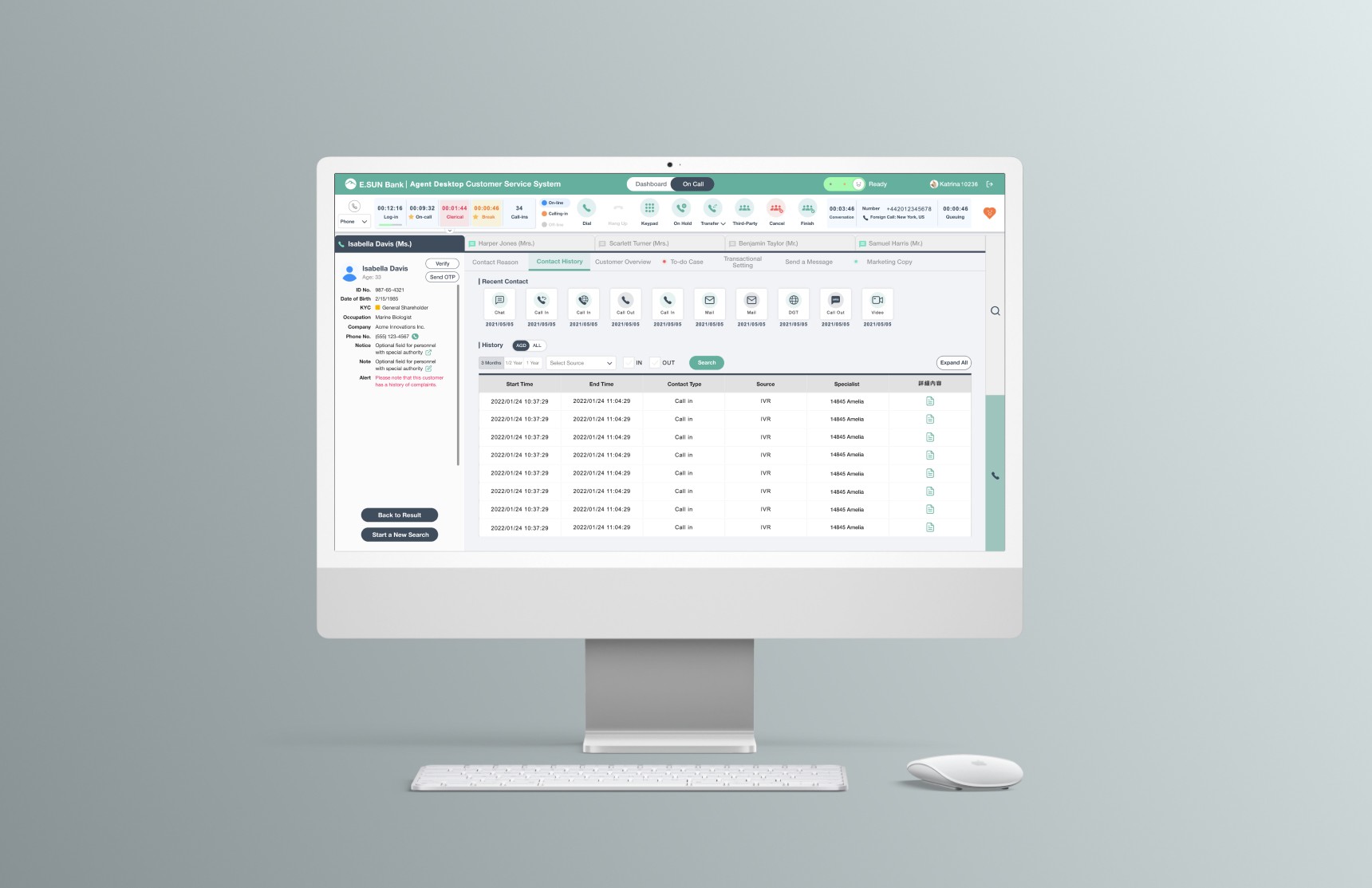
Streamlining customer service workflow of financial enterprise system
OBJECTIVES
Address the need for users to access customer information, record contact details, and create notifications efficiently within a single platform.
Integrate various workflows into a unified CRM system to improve operational efficiency.
Increase customer satisfaction by reducing wait times and improving service responsiveness.
IMPACTS
Streamlined Information Architecture and Improved System Usability Scale by 40%
I led comprehensive research through 20+ stakeholder interviews to streamline the integration of multiple systems into a unified architecture. I also conducted iterative usability testing with 10+ participants,validating design improvements with a 40% increase in SUS scores and securing stakeholder buy-in for implementation.
RESEARCH QUESTIONS
METHODS
Stakeholder Interviews
Goal
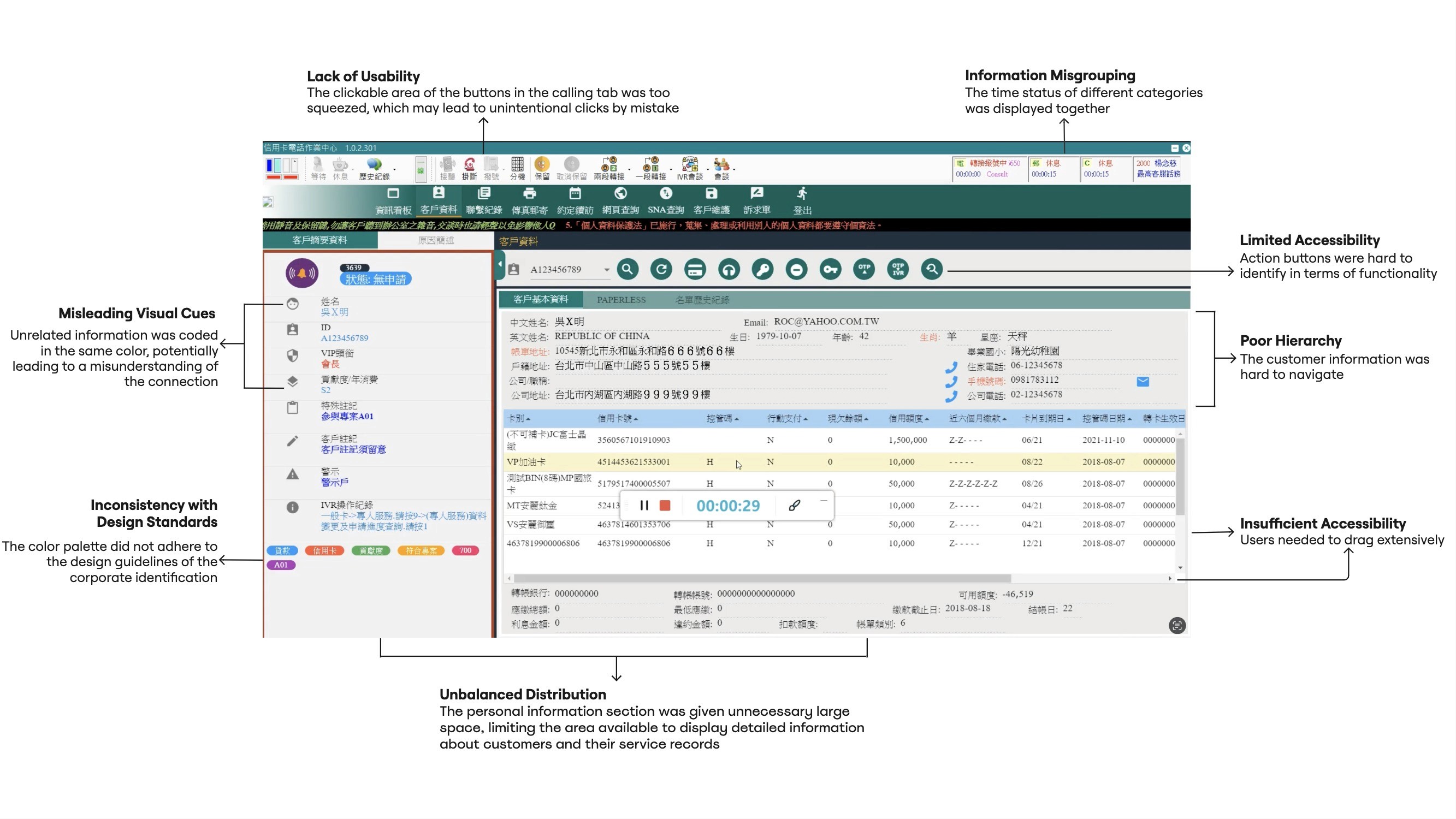
Identify the user needs and pain points in the current workflow.
Develop opportunities to bridge the gap of current and future workflow by integrating systems.
Approach
I initiated biweekly stakeholder interview sessions with 4 senior customer service specialists and 1 manager to map out their current workflow and their pain points. During the session, they were asked to demonstrate directly how they used the current system when tackling with several major tasks.
Usability Benchmarking
Goal
Validate the overall usability improvement of the new design comparing to the original system and measure how it impact the efficiency.
Why Usability Testing/Benchmarking?
Strategic Testing Within Constraints
Given time and budget constraints, usability testing yielded quantifiable data even with small sample sizes, enabling efficient data collection while meeting project timelines.Secure Design Buy-ins
With usability study, stakeholders are allowed to participate in the study without biasing study participants as observants. Providing that sense of participation helps acquire design buy-ins from stakeholders.
Approach
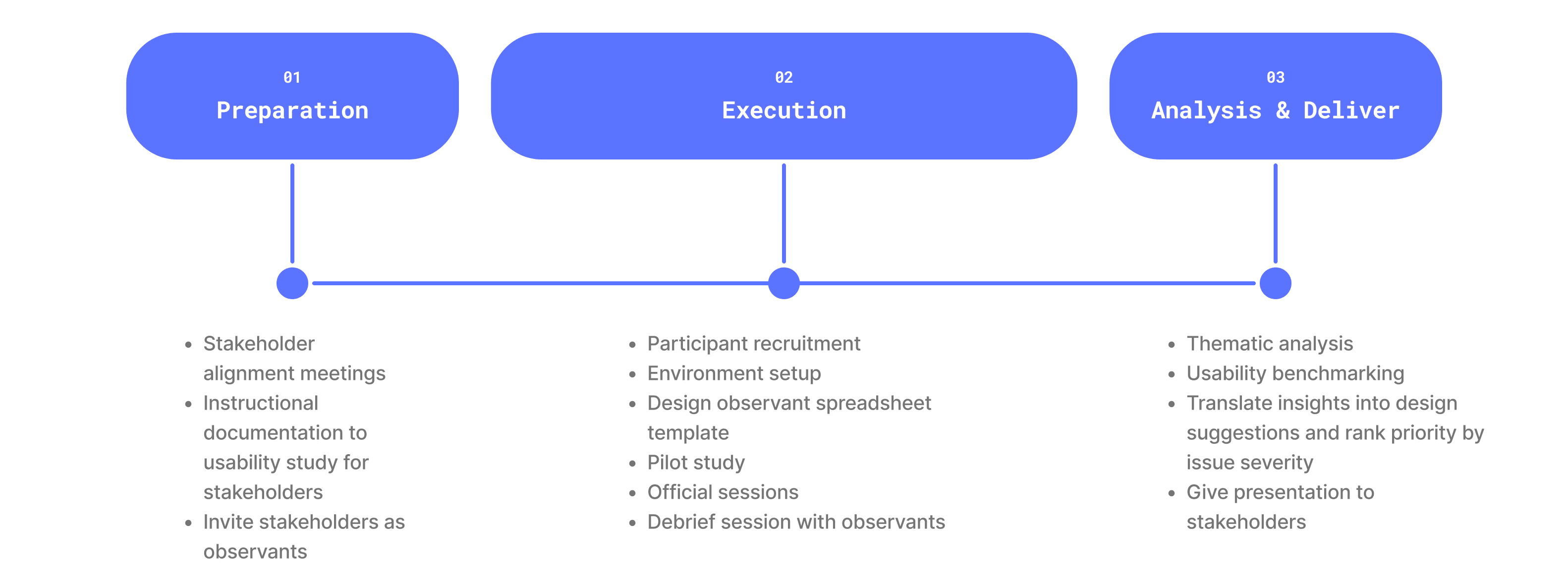
I facilitated a total of 14 semi-structured usability testing sessions on participants spanning from 3 user groups, varied by their years of experience as a customer service specialist.
The usability testing session was conducted via screen sharing, with the conversation shared through a conference call, allowing stakeholders in another meeting room to monitor the entire process. The participant used the same devices they rely on for their daily tasks.
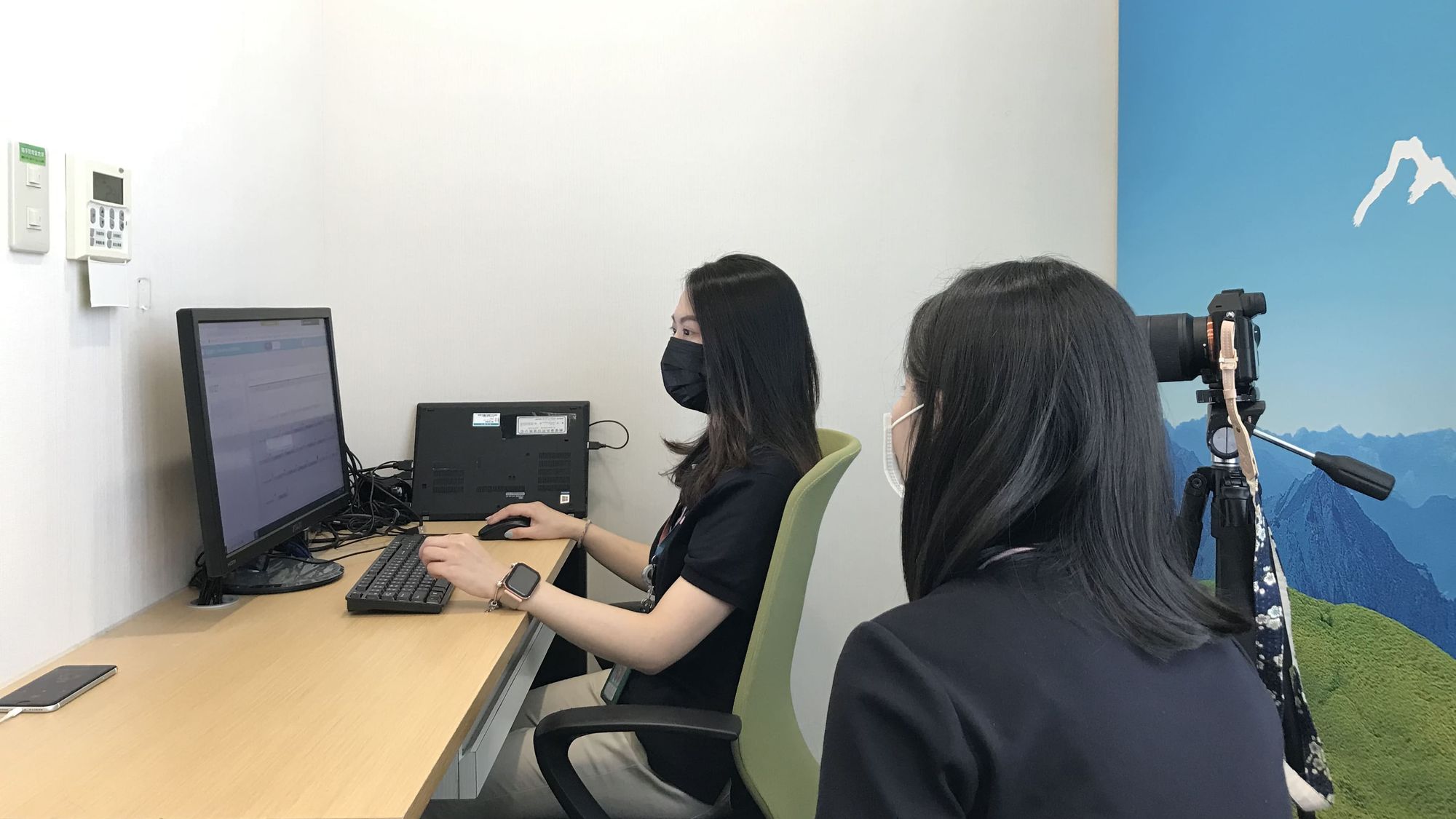
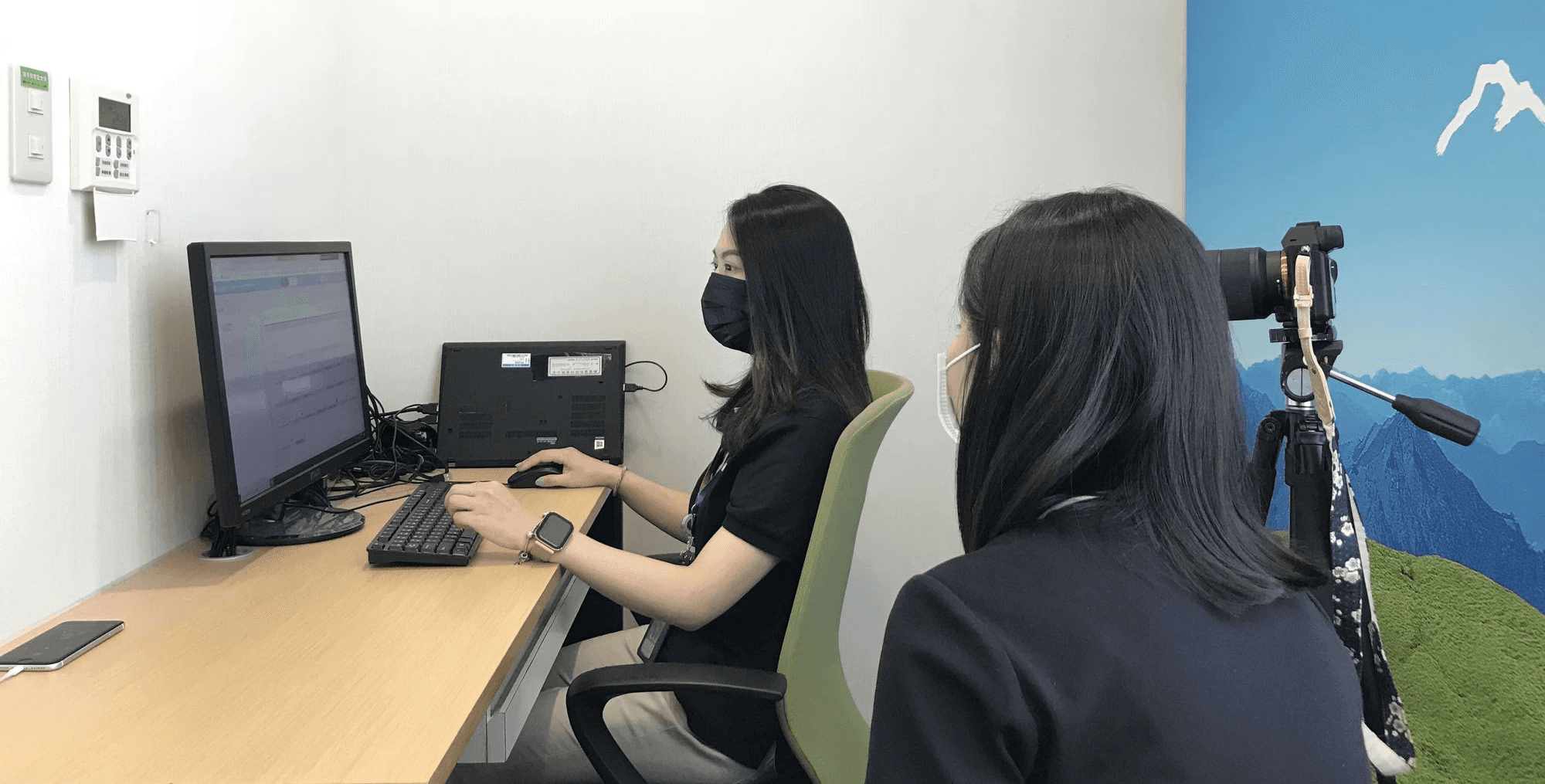
The usability testing session was conducted via screen sharing, with the conversation shared through a conference call, allowing stakeholders in another meeting room to monitor the entire process. The participant used the same devices they rely on for their daily tasks.
Analysis
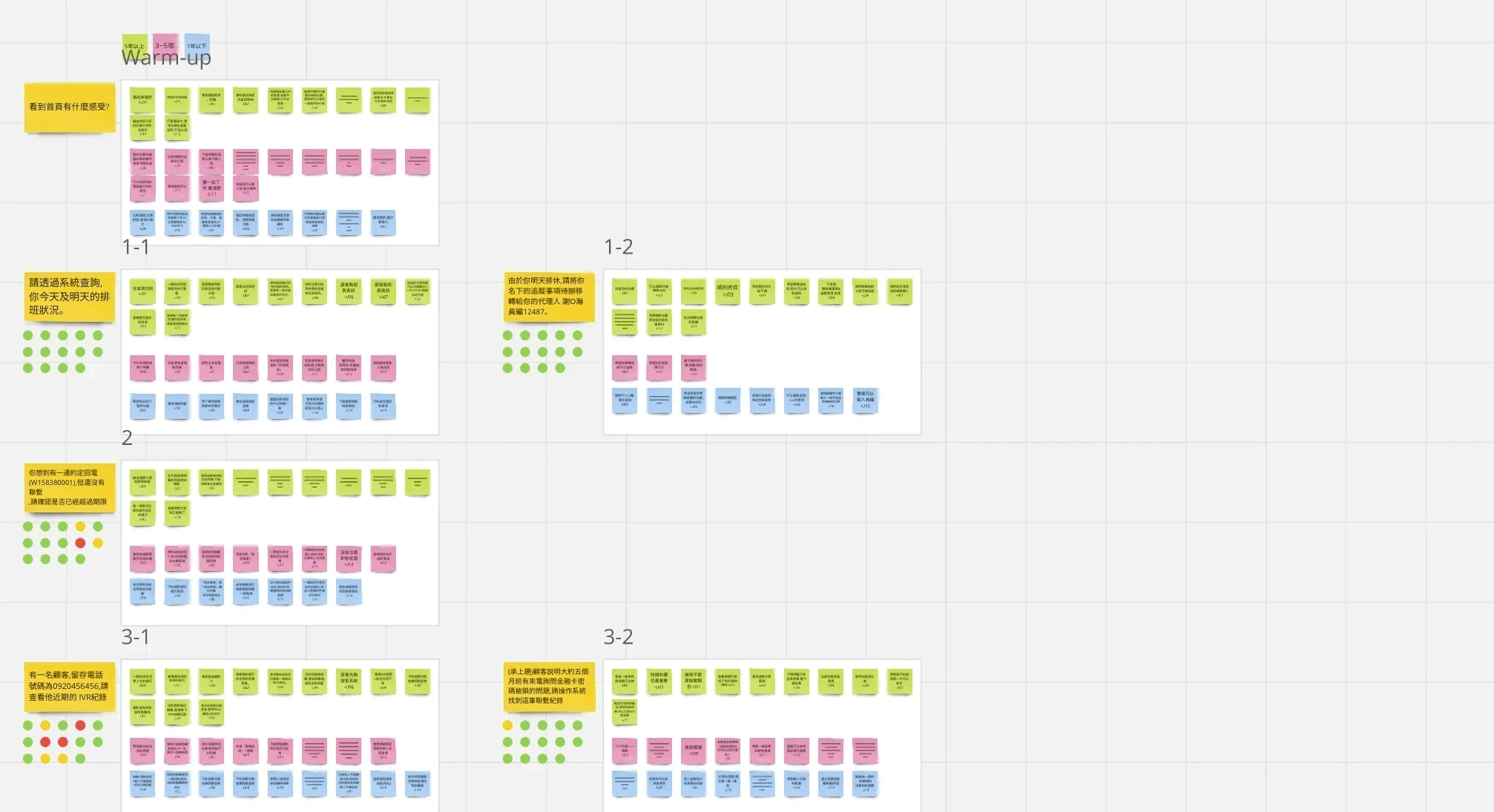
I conducted a comprehensive thematic analysis using Miro to systematically evaluate the research data. Interview notes were organized by both question categories and user groups to identify patterns. To visualize task completion rates and quickly spot potential usability issues, I implemented a dot sticker system.
Subsequently, I developed a nested tagging system to categorize findings into specific themes such as 'visual cues' and 'wording definition,' while also marking elements that should be retained or improved in future iterations.
FINDINGS
Redesigned interface improves usability and enables intuitive task completion for first-time users
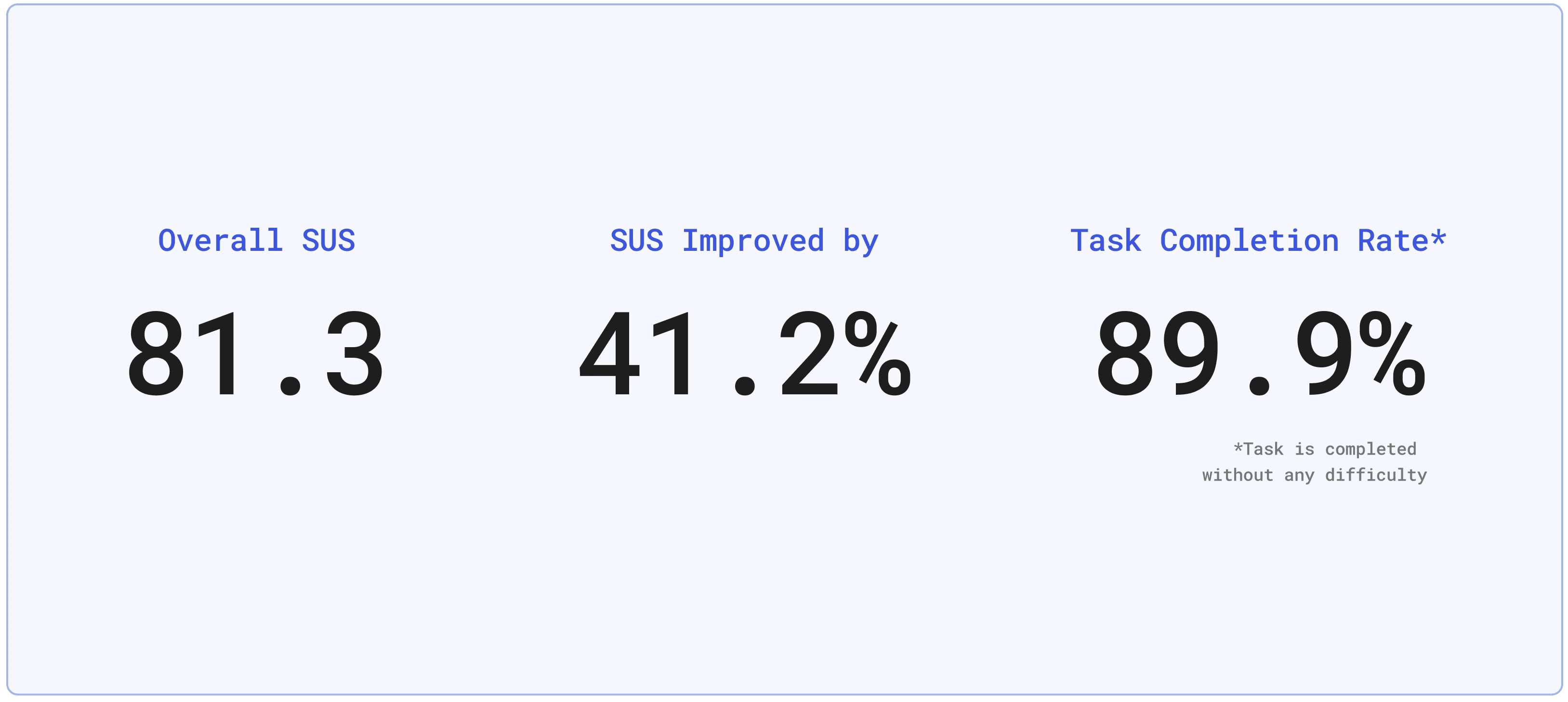
The results demonstrated that the redesign significantly improved overall system usability, enabling participants to complete their tasks more effectively.
"I can look up information much more quickly when I am recording the contact logs." - Wen-Jing Chen, customer service specialist
In addition, participants with less than one year of experience excelled in the test, while the System Usability Scale (SUS) score decreased with increasing seniority. This negative correlation likely stemmed from experienced users' familiarity with the existing system, whereas less experienced participants who were not familiar to the old system, performed exceptionally well with the redesigned interface.
These findings validate that the redesign is user-friendly, even for new users.
REFLECTIONS
Limitations & lessons learned
Conduct iterative testings to ensure data quality
While I tracked key metrics like task completion rate, time on task, and System Usability Scale (SUS) during testing, budget constraints limited our sample size and validation scope. I realized that these impacted the statistical significance of our findings.
For future projects, I'll advocate for iterative testing over longer timelines to ensure adequate participant recruitment and multiple validation rounds. This approach would yield more robust insights to guide design decisions and strengthen stakeholder confidence in the recommendations.